The Rise of Artificial Intelligence in Everyday Life

artificial intelligence

Artificial intelligence (AI) is no longer just a concept from science fiction movies. Today, artificial intelligence is part of our everyday lives, making tasks easier and more efficient. But what exactly is artificial intelligence, and why is it evolving so quickly? Let’s explore these questions and see how AI is changing the way we work, play, and connect.

What is Artificial Intelligence?

Artificial intelligence refers to the ability of machines and computers to perform tasks that normally require human intelligence. These tasks include understanding natural language, recognizing patterns, solving problems, and making decisions. AI systems can learn from data, improving their performance over time without being explicitly programmed for every scenario.

Why is Artificial Intelligence Constantly Evolving?

The evolution of artificial intelligence is driven by several factors. First, there is an abundance of data available today. From social media interactions to online transactions, we generate vast amounts of data every second. AI systems use this data to learn and improve their algorithms.

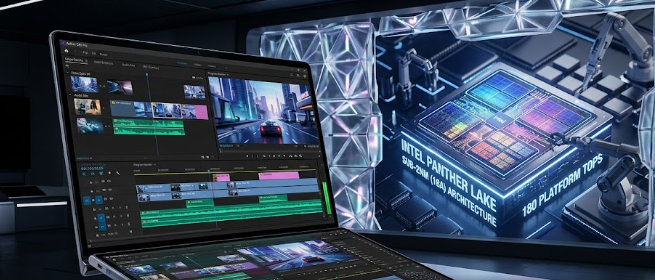
Second, advancements in computing power have made it possible to process and analyze large datasets quickly. This means AI can now handle more complex tasks than ever before.

Lastly, ongoing research and development in the field of AI lead to new discoveries and improvements. Scientists and engineers are continuously finding new ways to enhance AI capabilities, making these systems smarter and more efficient.

How is Artificial Intelligence Changing Our Lives?

Artificial intelligence is having a profound impact on various aspects of our lives. Here are some key areas where AI is making a difference:

Work

AI is transforming the workplace by automating routine tasks, allowing employees to focus on more complex and creative activities. For instance, AI-powered chatbots handle customer inquiries, freeing up human agents to tackle more challenging issues. In manufacturing, robots equipped with artificial intelligence perform repetitive tasks with precision and speed, increasing productivity and reducing errors.

Play

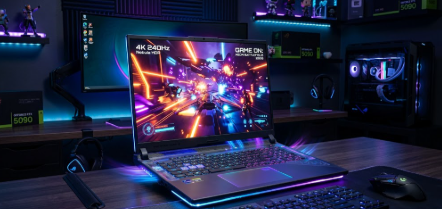
Artificial intelligence is also changing the way we play and entertain ourselves. Video games now use AI to create more realistic and challenging experiences. AI opponents in games can learn from players’ strategies, providing a dynamic and engaging gameplay experience. Additionally, streaming services like Netflix and Spotify use AI algorithms to recommend movies, shows, and music tailored to our preferences, making it easier to discover new content we love.

Connect

The way we connect and communicate with others is also being transformed by artificial intelligence. Social media platforms use AI to analyze user behavior and show relevant content, keeping us engaged. AI-powered translation tools break down language barriers, allowing us to communicate with people from different parts of the world effortlessly. Even virtual assistants like Siri and Alexa use AI to understand and respond to our voice commands, helping us manage our daily tasks.

Conclusion

The rise of artificial intelligence in everyday life is undeniable. As AI continues to evolve, it will further integrate into our work, play, and social interactions, making our lives more convenient and efficient. By understanding what artificial intelligence is and how it impacts us, we can better appreciate the technological advancements shaping our world today.

Artificial intelligence is not just a futuristic concept—it’s here, and it’s transforming our lives in remarkable ways. Whether at work, at play, or in how we connect with others, AI is making a significant impact, and its influence will only grow stronger in the years to come.

Feel free to share your thoughts on how artificial intelligence is impacting your daily life in the comments below!

Artificial Intelligence (AI): Your New Tech Bestie or Overlord? Let’s Figure It Out.

Okay, let’s be real – hearing about “artificial intelligence” can either sound super cool or make you picture robots taking over the world. But what is AI really about, and should we be excited or worried? Let’s break it down.

What is Artificial Intelligence (AI)?

Imagine teaching a computer to think a bit like us. We might show it tons of pictures of cats, and eventually, it figures out how to spot a cat in a new photo. That’s AI in action! It’s not magic, just computers getting really good at finding patterns and making guesses.

How is Artificial Intelligence Created?

Think of it like this:

  • The Brain Builder: Deep learning creates complex networks in the computer, mimicking how our own brains work.
  • The Student: Machine learning gobbles up tons of data, like those cat pictures, to learn and improve.
  • The Rule Follower: Sometimes, programmers give the computer specific instructions like, “If you see an email with THIS word, it’s probably spam.”

AI in Your Pocket

AI is already around us! Think about:

  • Unlocking your phone with your face: That’s AI recognizing you!
  • Netflix suggesting the perfect show: It’s learned what you like.
  • Asking your smart speaker the weather: AI understands your voice and finds the answer.

AI & Jobs: The Good, The Bad, & The Changing

Yep, AI is starting to do some jobs humans used to do. That’s a little scary, BUT it also creates new jobs we can’t even imagine yet. The key is to be prepared!

Can We Trust AI 100%?

Not quite. It’s a tool, and like any tool, it needs a human in charge. AI can mess up, or get used in ways that aren’t so great. We need to be smart about how we use it.

Making the Most of the AI Age

Don’t panic, get pumped! Here’s how to thrive:

  • Get curious: The more you understand AI, the less mysterious it is.
  • Focus on ‘human’ skills: Computers struggle with creativity and understanding tricky emotions. Those skills will be in demand!
  • Stay flexible: Jobs will change – be ready to learn and adapt.

AI is powerful, but it’s not about to take over. It’s up to us to use it wisely and build a future where humans and tech do amazing things together!

How your laptop can function as a remote control

While specific software might have its own requirements, here are the general features your laptop should have to function as a remote control:

Hardware:

  • Operating System (OS): Most URC (Universal Remote Control) software is compatible with Windows and macOS. There are some options for Android and iOS devices as well, but these would likely require an emulator for use on a laptop.
  • USB Port (optional): Some URC software might require an IR (Infrared) blaster that plugs into a USB port. The IR blaster transmits signals like a traditional remote control.
  • Wi-Fi: Many URC solutions communicate with devices via Wi-Fi, so a working Wi-Fi connection is essential.

Software:

  • URC software or compatible app: You’ll need to download and install URC software or a compatible app from the device manufacturer specifically designed for remote control functionality.
  • Emulator (optional): If you want to use a manufacturer’s remote control app designed for mobile devices (iOS/Android) on your laptop, you might need an emulator program like Bluestacks to run the app.

Other Considerations:

  • Firewall settings: Your firewall might block communication between the URC software and your devices. You might need to adjust firewall settings to allow for proper functionality.

While these are the main features, keep in mind that some advanced functionalities might be limited. For instance, a URC software might not be able to replicate every single button on your original remote, especially those specific to a particular device.

Give Your PC a Boost: Easy Ways to Speed Up Your Machine

Is your computer feeling sluggish? Does it take forever to load programs or open files? Don’t despair! Before you resign yourself to a new machine, there are several things you can try to improve your PC’s performance.

Free Tweaks for Faster Speeds

  1. Clean Up Your Act: Your computer accumulates clutter over time, just like your house. Delete unnecessary files, uninstall programs you don’t use, and empty your recycle bin. You can also use the built-in Disk Cleanup tool to remove temporary files and system junk.
  2. Restart Regularly: Just like us, computers benefit from a good reboot. Restarting closes any lingering programs and clears out your system’s temporary memory, which can give you a noticeable performance boost.
  3. Manage Startup Programs: Many programs set themselves to launch at startup, which can slow down your boot time. Disable any programs you don’t need running in the background.
  4. Update, Update, Update: Keeping your operating system and device drivers up to date can improve performance and security. Set your system to update automatically whenever possible.
  5. Lighten the Visual Load: Fancy graphics can be eye-catching, but they can also be resource-intensive. Consider adjusting your visual effects settings to a simpler style.

Hardware Upgrades for a Bigger Boost

While the above tips can significantly improve performance, sometimes a hardware upgrade is necessary. Here are two key areas to consider:

  1. Memory Matters: Random Access Memory (RAM) is your computer’s short-term memory. If you frequently run multiple programs or use memory-intensive applications, consider adding more RAM.
  2. Storage Solution: Solid-State Drives (SSDs) are significantly faster than traditional hard disk drives (HDDs). Upgrading to an SSD can dramatically improve boot times, program loading speeds, and overall system responsiveness.

By following these simple steps, you can breathe new life into your PC and keep it running smoothly for years to come.

Additional Tips:

  • Run a malware scan to ensure your computer isn’t bogged down by malicious software.
  • Consider cloud storage for infrequently used files to free up space on your hard drive.
  • If you’re comfortable, defragmenting your hard drive (not necessary for SSDs) can help optimize its performance.

Remember, the best approach often involves a combination of these strategies. Start with the free tweaks, and if you continue to experience slowness, consider a hardware upgrade. With a little effort, you can get your PC back up to speed and running like new.

10 tasks you didn’t know you could do with your laptop

Here are 10 tasks you didn’t know you could do with your laptop:

  1. Turn your laptop into a second monitor: Extend your desktop space by connecting your laptop to another computer or monitor using an HDMI cable. This can be useful for multitasking or spreading out your work.
  2. Use your laptop as a document scanner: Many laptops have built-in scanners or webcams that can be used to scan documents. There are also scanner apps available for download. This is a great way to quickly digitize important papers or receipts.
  3. Make free international calls: With internet connection, you can use services like Skype or WhatsApp to make free video and voice calls to friends and family around the world.
  4. Edit photos like a pro: There are a number of free and paid photo editing programs available that can be used to edit your photos, create collages, and add effects.
  5. Learn a new language: There are many language learning apps and websites that can help you learn a new language at your own pace. Some popular options include Duolingo, Babbel, and Memrise.
  6. Create music: With the help of music creation software, you can turn your laptop into a recording studio. There are programs available for all skill levels, from beginner to professional.
  7. Play retro video games: There are a number of emulators available that allow you to play classic video games from older consoles on your laptop. This is a great way to relive your childhood or try out games you missed the first time around.
  8. Unlock the power of cloud storage: Cloud storage services like Google Drive, Dropbox, and OneDrive allow you to store your files online, so you can access them from any device with an internet connection. This is a great way to free up space on your laptop and ensure that your files are always backed up.
  9. Use your laptop as a remote control: With the right software, you can use your laptop to control your TV, streaming devices, and other home entertainment devices. This is a great way to consolidate all of your remotes into one place.
  10. Teach yourself how to code: There are a number of free and paid coding bootcamps and tutorials available online that can teach you how to code. Coding is a valuable skill that can help you land a high-paying job or build your own software applications.

The PlayStation 5: A Next-Gen Gaming Marvel

Playstation 5 Console
Playstation 5 Console Source:https://commons.wikimedia.org/wiki/File:PlayStation_5_and_DualSense_%282%29.jpg

The PlayStation 5 (PS5), Sony’s latest gaming console, has taken the gaming world by storm. With its powerful hardware, innovative features, and an impressive lineup of games, the PS5 offers an unparalleled gaming experience. Let’s dive into the details of this gaming marvel.

1. Lightning-Fast Loading and SSD

The PS5 boasts an ultra-high-speed Solid State Drive (SSD), which significantly reduces loading times. Games load almost instantly, allowing players to jump right into the action. Say goodbye to tedious loading screens!

2. DualSense Controller

The DualSense wireless controller is a game-changer. It features haptic feedback and adaptive triggers, providing a more immersive experience. When playing games like Astro’s Playroom, you’ll feel every step, jump, and impact through the controller. It’s a level of tactile feedback that truly enhances gameplay.

3. 3D Audio

The PS5 supports 3D audio, creating a spatial sound environment. Whether you’re exploring a haunted mansion or racing through city streets, the audio adapts to your surroundings. It’s like having a surround sound system built into your headset.

4. Stunning Graphics and Ray Tracing

The PS5 delivers 4K-TV gaming with ray tracing. Ray tracing technology enhances lighting, reflections, and shadows, making game worlds more realistic. Titles like Demon’s Souls showcase the console’s graphical prowess.

5. Exclusive Games

Sony’s first-party studios have crafted incredible exclusive titles for the PS5. Games like Ratchet & Clank: Rift Apart, Spider-Man: Miles Morales, and Returnal demonstrate the console’s capabilities. These games utilize the DualSense controller and take full advantage of the hardware.

6. Backward Compatibility

The PS5 is backward compatible with most PS4 games. Pop in your favorite PS4 titles, and experience them with improved loading times and better graphics. Plus, some games receive free upgrades to their PS5 versions1.

7. Entertainment Hub

Beyond gaming, the PS5 serves as an entertainment hub. Stream 4K content from services like Netflix, Disney+, and YouTube. It’s not just a gaming console; it’s a multimedia powerhouse.

8. Size Considerations

The PS5’s size has been a topic of discussion. While its sleek design is impressive, it might be too big for some setups. Make sure you have enough space for this gaming behemoth.

In Conclusion

The PlayStation 5 is a gateway to next-gen gaming. Its library of exclusive games, lightning-fast SSD, and innovative features make it a must-have for any gaming enthusiast. Whether you’re battling demons, exploring alien worlds, or racing supercars, the PS5 delivers an unforgettable experience.

References:

  1. PlayStation®5 | Play Has No Limits | PlayStation
  2. PS5 review: an exciting portal to next-gen gameplay | TechRadar
  3. Buy PS5 Consoles, Games and Accessories | PlayStation®
  4. PS5 features | Discover new ways to play on PlayStation 5 (US)
  5. Buy PS5™ Console | PlayStation® (US)

“PlayStation”, “PlayStation Family Mark”, “PS5 logo”, “DualSense” and “Play Has No Limits” are registered trademarks or trademarks of Sony Interactive Entertainment Inc. “SONY” is a registered trademark of Sony Corporation.