DisplayPort 2.1 vs HDMI 2.1a: Deciphering High-End Monitor Specs

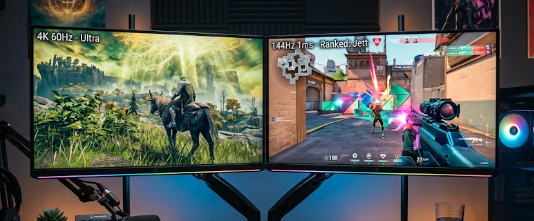
A split-screen comparison of DisplayPort 2.1 vs HDMI 2.1a cables connecting to a high-end gaming monitor.

Building a high-end PC or upgrading your console setup requires the best visual fidelity. Consequently, professionals and gamers alike seek high-refresh-rate 4K or 8K displays. However, connecting these powerful displays requires the right cable technology. This brings us to a crucial comparison: DisplayPort 2.1 vs HDMI 2.1a. Choosing the correct port ensures you get every frame and pixel you pay for. Therefore, we will decipher these high-end monitor specs so you can make an informed decision.

Raw Bandwidth Specs: DisplayPort 2.1 vs HDMI 2.1a

Bandwidth determines how much data a cable can transmit per second. Think of it like a water pipe; a wider pipe allows more water to flow. Firstly, DisplayPort 2.1 introduces the UHBR20 (Ultra High Bit Rate) standard, which pushes an impressive 80 Gbps of raw bandwidth. Conversely, HDMI 2.1a has a maximum bandwidth ceiling of 48 Gbps. This massive difference gives DisplayPort a clear advantage for uncompressed data transfer.

For instance, if you want to run an 8K monitor at a high refresh rate, the 80 Gbps bandwidth handles the massive data load effortlessly. Furthermore, this wide data pipeline prevents input lag. Therefore, competitive gamers experience instantaneous screen responses. Meanwhile, HDMI 2.1a remains highly capable and handles standard 4K gaming beautifully. Yet, it quickly hits its limit when you push beyond normal 4K refresh rates without relying on compression techniques.

How Display Stream Compression (DSC) Changes the Game

Since raw bandwidth cannot always handle extreme resolutions, engineers created Display Stream Compression (DSC). Specifically, DSC is a visually lossless compression specification. This means it shrinks the video data to fit through the cable, but human eyes cannot detect any drop in visual quality. Consequently, DSC allows a single cable to run demanding setups, such as dual 4K monitors at 144Hz, without any color degradation.

When comparing DisplayPort 2.1 vs HDMI 2.1a, you will find that both standards utilize DSC effectively. However, HDMI 2.1a relies on DSC much sooner because of its lower 48 Gbps ceiling. In contrast, DisplayPort 2.1 rarely needs DSC unless you push extreme multi-monitor 8K setups. Ultimately, using uncompressed data is always preferable because compression can occasionally cause slight screen-blanking delays when you alt-tab out of full-screen games.

Source vs. Display Matching for DisplayPort 2.1 vs HDMI 2.1a

Having a premium cable means nothing if your devices do not match perfectly. Therefore, you must carefully check both your GPU output specs and your monitor input specs. Notably, not all DisplayPort 2.1 connections are equal. The standard features three distinct tiers: UHBR10 (40 Gbps), UHBR13.5 (54 Gbps), and UHBR20 (80 Gbps). If you buy a monitor labeled “DP 2.1” but it only supports the 40 Gbps tier, you actually get less bandwidth than HDMI 2.1a!

To avoid this labeling trap, you must explicitly match your graphics card and monitor to the exact UHBR20 tier. Moreover, you must buy a certified DP80 cable to achieve that maximum 80 Gbps bandwidth. Similarly, HDMI 2.1a users must ensure they purchase ultra-high-speed certified cables. In summary, always read the fine print on both your source device and your display before making a purchase.

Final Thoughts and Next Steps

In conclusion, PC builders and creative professionals must pay close attention to display standards. The debate between DisplayPort 2.1 vs HDMI 2.1a ultimately boils down to your specific needs. DisplayPort offers unmatched raw power for uncompressed visuals, while HDMI remains incredibly versatile for broad compatibility. If you want to dive deeper into building the perfect multi-monitor workstation and managing bandwidth limits, please check out Tom’s Hardware guide on display cables for further reading on the topic.

References

  • VESA DisplayPort 2.1 Specification Release Notes.
  • HDMI Forum Official HDMI 2.1a Bandwidth Guidelines.
  • KTC Product Comparisons: DisplayPort 2.1 UHBR20 vs. HDMI 2.1a Interface.

 The Rise of Solid-State Batteries in Consumer Tech: Specs That Matter

 A sleek modern smartphone and smartwatch showcasing the power of solid-state batteries in consumer tech.

Welcome to the future of gadgets! If you love new devices, you probably hate running out of battery. Today, a new power source is changing everything. The rise of solid-state batteries in consumer tech is the biggest breakthrough in recent years. This new technology promises phones that last for days and electric cars that drive farther than ever. In this article, we will explore the specs that truly matter. We will look at how these batteries work, why they hold more power, and how they charge in minutes. Let us dive right in!

Understanding Solid-State Batteries in Consumer Tech

To understand the impact of solid-state batteries in consumer tech, we must first define the technology. Traditional Lithium-ion (Li-ion) batteries use a liquid electrolyte to move power back and forth. This liquid works well, but it takes up space and can catch fire if damaged. On the other hand, a solid-state battery replaces this liquid with a solid piece of material, like glass or ceramic. Think of it like swapping a fragile water balloon for a sturdy rubber ball. The solid design makes the battery much safer and smaller. Because it uses solid materials, engineers can pack more energy into the exact same space. This simple change completely upgrades how our gadgets store and use power daily.

Energy Density Specs for Solid-State Batteries in Consumer Tech

Energy density shows how much power a battery holds based on its weight. Experts measure this in Watt-hours per kilogram (Wh/kg). Current Li-ion batteries usually reach about 250 Wh/kg. However, solid-state batteries in consumer tech easily hit 400 to 500 Wh/kg. This massive jump means a battery can hold double the energy without gaining any weight. For you, this leads to incredibly thin smartphones that do not sacrifice screen time. Imagine a phone as thin as a credit card that easily lasts three full days on a single charge. Alternatively, phone makers can keep devices the same size but double their battery life. This high energy density completely removes battery anxiety for heavy users and frequent travelers.

Charging Speeds and Thermals of Solid-State Batteries in Consumer Tech

Nobody likes waiting hours for a phone to charge. Thankfully, improved safety profiles and reduced heat generation define the new era of solid-state batteries in consumer tech. Liquid batteries get very hot during fast charging, which ruins their health over time. Because solid materials resist heat much better, they stay cool even under extreme stress. This cool temperature allows manufacturers to safely push fast-charging wattages past 200W. At these blazing speeds, you can charge your smartphone from zero to a hundred percent in less than ten minutes. Furthermore, the lack of flammable liquids eliminates the risk of battery fires or explosions. You get a gadget that charges instantly and remains perfectly safe to leave plugged in overnight.

Market Availability of Solid-State Batteries in Consumer Tech

You might wonder when you can actually buy these incredible devices. The rollout of solid-state batteries in consumer tech is already beginning in premium markets. Electric vehicles (EVs) lead the charge today. Companies like NIO and Toyota are already testing cars with these batteries, promising over 1,000 kilometers of driving range. In the smartphone world, brands like Samsung and Xiaomi are actively testing solid-state cells for their upcoming flagship phones. We expect the first major solid-state smartphones to hit store shelves by late 2026 or early 2027. Wearables will also benefit early on. Smartwatches and fitness trackers will finally last weeks instead of days. The wait is almost over for everyday consumers.

In conclusion, the upgrade to solid-state power will permanently change how we use our devices. From safer charging to massive energy boosts, the specs clearly show a brighter future. As manufacturers perfect the production process, these batteries will soon become the standard in every gadget you own. For further reading on battery innovations, you can visit Battery University to learn more about modern energy storage.

References

  1. Melita (2026). The 2026 Smartphone Battery Guide.
  2. Adam Lobo TV (2026). Solid-State Batteries: The 1,000km Range and the Future of AI Robotics.
  3. Android Central (2026). The next battery tech breakthrough is coming: Here’s what you need to know.

 Wi-Fi 7 vs. Wi-Fi 6E: A Specification Breakdown for Fast Internet

Are you struggling with slow internet while gaming or working from home? You are not alone. Many people want a faster connection, and choosing the right router makes a huge difference. Today, we will look at Wi-Fi 7 vs. Wi-Fi 6E to see which one fits your daily needs. Both options offer incredible internet speeds, but they have distinct differences under the hood. Therefore, understanding these specifications will help you make a smart choice for your home network setup.

Bandwidth and Speed in Wi-Fi 7 vs. Wi-Fi 6E

When comparing Wi-Fi 7 vs. Wi-Fi 6E, overall speed stands out as the most obvious upgrade. Wi-Fi 6E already provides excellent performance using a 160 MHz channel bandwidth. However, Wi-Fi 7 doubles this massive capacity. It uses massive 320 MHz channel bandwidths. Think of bandwidth like a highway. If Wi-Fi 6E represents a two-lane road, Wi-Fi 7 acts as a four-lane superhighway.

Consequently, more lanes allow more cars—or data—to travel at once without frustrating traffic jams. Because of this, Wi-Fi 7 can reach theoretical speeds of up to 46 Gbps, while Wi-Fi 6E peaks around 9.6 Gbps. Ultimately, this massive jump ensures your heavy game downloads and 4K movie streams run perfectly smoothly.

A modern home networking router illustrating the Wi-Fi 7 vs. Wi-Fi 6E connection speeds and data transfer differences.

Understanding Multi-Link Operation (MLO)

Furthermore, Wi-Fi 7 introduces a game-changing feature called Multi-Link Operation (MLO). Older standards, including Wi-Fi 6E, restrict your device to connect to just one band at a time. The router chooses either the 2.4GHz, 5GHz, or 6GHz band. Conversely, MLO changes everything. It allows your Wi-Fi 7 devices to connect to multiple bands simultaneously.

As a result, your phone or laptop can send and receive data across different frequencies at the exact same time. This significantly reduces latency. For gamers dodging attacks and remote workers leading video calls, this means almost zero network lag. MLO makes the Wi-Fi 7 vs. Wi-Fi 6E debate lean heavily toward the newer technology for real-time online tasks.

QAM Upgrades: Packing More Data

Next, we need to talk about QAM. QAM stands for Quadrature Amplitude Modulation. While the technical name sounds complicated, the core concept remains simple. It determines how much data the router packs into every single radio signal it transmits. Wi-Fi 6E uses a standard called 1024-QAM. On the other hand, Wi-Fi 7 upgrades to a denser 4K QAM.

To illustrate, imagine you are packing moving boxes. Wi-Fi 6E safely packs 10 items into a box. Meanwhile, Wi-Fi 7 packs 12 items into the exact same size box. Because it packs data 20% more efficiently, your devices download files much faster. Therefore, you get crisp streams and quicker transfers without needing extra signal space.

The Verdict: Wi-Fi 7 vs. Wi-Fi 6E Buying Advice

So, should you buy a new router right now? The answer depends heavily on the devices you currently own. If you recently bought a Wi-Fi 6E router, you should definitely wait. Most smartphones, consoles, and laptops in homes today do not even support Wi-Fi 7 yet.

However, if you are a hardcore gamer building a brand-new network setup, or if you still rely on an ancient Wi-Fi 5 router, buying a Wi-Fi 7 router makes perfect sense. It easily future-proofs your home. In conclusion, evaluating Wi-Fi 7 vs. Wi-Fi 6E comes down to your current gadgets and overall budget. For a deeper dive into optimizing your home network gear, you can check out this helpful guide on CNET’s router buying advice.

References

  • Wi-Fi Alliance. (2024). Wi-Fi 7 Introduces New Era of Connectivity. Wi-Fi Alliance Publications.
  • IEEE Standards Association. (2024). IEEE 802.11be: Extremely High Throughput (EHT). IEEE Networking Standards.
  • Intel Network Specifications. (2023). Understanding the difference between Wi-Fi 6E and Wi-Fi 7 Technologies. Intel Tech Resources.

 Foldable Laptops vs 2-in-1 Convertibles: A Spec-by-Spec Comparison

A side-by-side view comparing foldable laptops vs 2-in-1 convertibles on a sleek wooden desk.

Are you searching for the perfect portable workstation? The tech world constantly evolves, offering incredible new tools for early adopters and productivity-focused users. Right now, a major debate dominates the market: foldable laptops vs 2-in-1 convertibles. Choosing between these two innovative designs can feel overwhelming. However, understanding their specific features will help you make a smart investment. In this article, we will break down a spec-by-spec comparison to guide your final decision. Therefore, you can quickly choose the device that perfectly matches your daily workflow.

Display Tech and Durability in Foldable Laptops vs 2-in-1 Convertibles

First, let us examine display technology. Manufacturers build foldable laptops with flexible OLED screens. These stunning displays fold completely in half, giving you a massive screen in a compact footprint. Conversely, 2-in-1 convertibles use traditional glass screens, usually featuring IPS or OLED touchscreen panels. While foldables offer a futuristic, seamless look, durability remains a valid concern for many buyers. Specifically, laptop makers test foldable hinges vigorously, often rating them for up to 300,000 folds. For instance, if you fold your device 50 times a day, the hinge should easily last over 16 years. On the other hand, the rigid glass on a 2-in-1 convertible provides better protection against scratches and daily bumps.

Weight and Thickness Differences

Next, we must compare the physical dimensions. Portability heavily influences the debate between foldable laptops vs 2-in-1 convertibles. When unfolded, a foldable laptop boasts incredible thinness, often measuring a mere 8 mm thick. However, when you fold it shut, the thickness instantly doubles to around 16 mm or more. Furthermore, foldables generally weigh less as standalone screens, often dropping below 1.5 kg (3.3 lbs). In contrast, standard 2-in-1 convertibles maintain a consistent thickness, usually around 14 mm to 16 mm. Because convertibles carry a permanently attached metal keyboard base, they typically weigh slightly more, averaging between 1.3 kg and 1.8 kg. Consequently, if you want a massive screen that fits in a small bag, foldables win.

Keyboard Solutions and Battery Specs

Additionally, the typing experience sharply divides these two categories. 2-in-1 convertibles feature integrated, 360-degree hinge keyboards. You simply flip the screen back to enter tablet mode, and the keyboard stays securely attached. This design provides a sturdy, traditional typing experience on your lap. Meanwhile, foldable laptops require a different approach. They rely on physical, attachable Bluetooth keyboards. Often, you place this thin keyboard over the bottom half of the folded screen. As a result, you must manage a separate battery for the Bluetooth keyboard. While these attachments charge magnetically, they still lack the firm rigidity of a classic laptop base. Therefore, if you type heavy documents on your lap, a 2-in-1 convertible might serve you better.

Port Selection for Foldable Laptops vs 2-in-1 Convertibles

Finally, we must look at port selection. Connectivity is crucial for any productivity-focused user. Unfortunately, foldable laptops often sacrifice I/O ports to achieve their ultra-thin, flexible designs. You will usually find just two USB-C ports on a foldable device. Therefore, you must carry external dongles to connect HDMI cables or older USB-A flash drives. Alternatively, 2-in-1 convertibles offer a much wider variety of ports. Because they feature a thicker, permanent base, manufacturers can easily include USB-A ports, HDMI slots, and SD card readers. Ultimately, if you despise carrying adapters, standard convertibles hold a significant advantage in this area.

In conclusion, both devices offer unique advantages for modern professionals. The choice ultimately depends on your specific workflow. If you want a massive OLED screen that shrinks into a tiny package, a foldable laptop is perfect. However, if you prioritize rigid keyboards, diverse ports, and glass screen durability, stick with a convertible. To explore more about the latest mobile computing trends and make an informed purchase, check out this comprehensive guide on laptop buying advice from PCMag.

References

  • PCMag. (2025). The Best 2-in-1 Convertible and Hybrid Laptops.
  • TechRadar. (2025). Foldable laptops: everything you need to know about the newest PC form factor.

 How Nvidia N1X Unified Silicon Plans to Disrupt Premium Laptops

A futuristic laptop showcasing how Nvidia N1X unified silicon plans to disrupt premium laptops.

A major ripple went through the computing world yesterday on May 30, 2026. Coordinated social media teasers from Nvidia and Microsoft effectively confirmed a massive hardware debut. Tech experts spotted leaks of Nvidia’s first consumer PC system-on-a-chip (SoC), which bears the codename “N1X.” Leaked motherboard designs on secondary markets point to a high-performance Windows on Arm chip. Manufacturers designed this chip to take on Apple’s M-series Pro and Max silicon directly in the creative workstation space. Industry insiders eagerly watch how the Nvidia N1X unified silicon plans to disrupt premium laptops this year.

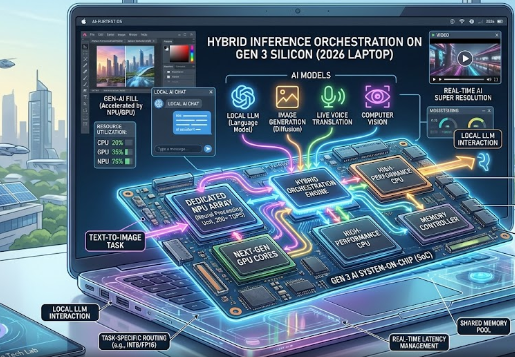
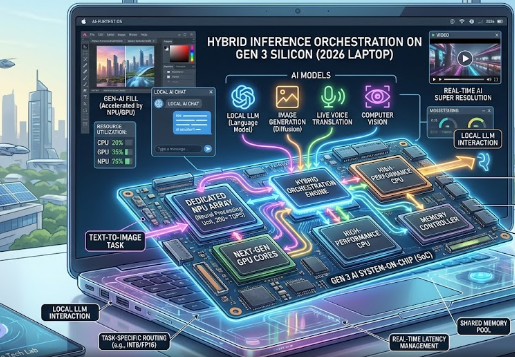
This upcoming release marks a massive shift in how premium laptops handle heavy workloads. For years, Windows laptops relied on separate processors and graphics cards. This new silicon changes the game completely by combining everything onto a single, highly efficient chip.

The GB10 Superchip Data Center Heritage

To understand this new chip, we must look at its impressive architecture framework. The N1X is a mobile-adapted cousin of Nvidia’s enterprise DGX Spark data center hardware. Therefore, it brings immense enterprise-grade power directly into a portable laptop form factor.

The processor features a powerful 20-core Arm CPU complex designed by MediaTek. Nvidia pairs this processing brain natively with a next-generation RTX 5070-class graphics card. As a result, users get data-center heritage inside a thin and light laptop. This blend of mobile efficiency and raw power shows exactly how the Nvidia N1X unified silicon plans to disrupt premium laptops.

The Power of Unified Memory Architecture

The defining memory specification of this chip is its massive Unified Memory Architecture (UMA). The system features a massive unified pool of up to 128GB of LPDDR5X memory. Both the CPU and the GPU share this memory pool simultaneously.

+——————————————————–+
|                      N1X Chip                          |
|                                                        |
|  +——————+          +——————–+  |
|  |  20-Core Arm CPU |          | RTX 5070-Class GPU |  |
|  +——–+———+          +———+———-+  |
|           |                              |             |
|           +————–+—————+             |
|                          |                             |
|                          v                             |
|         +———————————-+           |
|         |  Shared 128GB LPDDR5X UMA Pool   |           |
|         +———————————-+           |
+——————————————————–+

Traditional laptops limit how much memory your graphics card can use. In contrast, this large shared pool removes those boundaries completely. Local Artificial Intelligence (AI) models with tens of billions of parameters can load seamlessly without running into Video RAM (VRAM) limits. Digital creators can easily edit massive 8K video files without system stutter.

The Critical Bandwidth Trade-Off

Every architectural leap comes with a few engineering compromises that reviewers must analyze. Because the chip uses a shared LPDDR5X memory bus, the N1X yields a raw memory bandwidth of roughly 273 GB/s.

Technical Note: While 273 GB/s is incredible for general system processing and AI data pools, it is notably lower than traditional setups. Dedicated GDDR memory bandwidth found on standard discrete graphics cards operates at much higher speeds.

This lower bandwidth might impact native 4K gaming frame rates during intense graphical scenes. However, the efficiency gains for creative tasks like 3D rendering and machine learning easily outweigh this minor gaming drawback.

Expanding Beyond Microsoft Copilot+

Microsoft is throwing its full weight behind this hardware launch for a major reason. They want to expand the Windows on Arm application layer quickly. This partnership introduces a brand-new class of ultra-powerful, local machine-learning experiences.

Standard Copilot+ laptops use a 40-TOPS Neural Processing Unit (NPU) which cannot compute these heavy tasks. The N1X handles these workloads locally without breaking a sweat. For a deeper look at the evolution of modern laptop processors, read this detailed guide on laptop processor architectures on Tom’s Hardware.

References

  • Nvidia Hardware Leak Archives (May 2026)
  • Microsoft Windows on Arm Developer Documentation Update
  • MediaTek Arm Architecture Roadmap Report (2026)

The $300 Arm Battlefield: How Snapdragon C Chips Weaponize Mobile Silicon

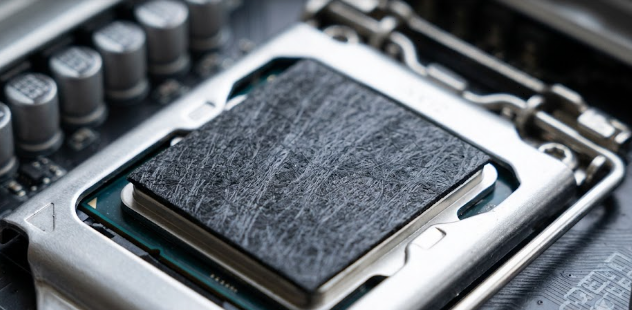
A close-up concept of a budget laptop motherboard featuring the new Snapdragon C chips

The tech world is witnessing a massive shift in how companies build budget computers. Tech leaders just dropped some exciting news during the global pre-Computex 2026 briefings. Qualcomm unveiled a brand-new processor line that aims to change cheap laptops forever. Instead of making cut-down versions of their expensive computer chips, they are doing something different. They are moving their highly efficient smartphone technology straight into laptops. This strategy centers on the new Snapdragon C chips, which aim to power ultra-budget Windows and Googlebook laptops costing between $300 and $500.

The Smart Engineering Shift Behind Snapdragon C Chips

To understand this shift, we must look at how engineers design computer processors. Usually, chipmakers try to shrink big computer chips to fit into cheaper laptops. This time, Qualcomm flipped the script by upgrading its phone-first Kryo processor layouts for laptops. Since a laptop body is much larger than a smartphone, engineers have more room to manage heat.

Consequently, this extra space allows the Snapdragon C chips to run at peak performance without overheating. Furthermore, Qualcomm can mass-produce these processors at rock-bottom prices because they already make similar phone chips by the millions. This clever engineering choice gives budget laptops a massive boost without raising production costs.

+————————————————————-+
|                 QUALCOMM’S STRATEGY SHIFT                   |
+————————————————————-+
| OLD WAY: Shrink complex, expensive PC chips -> Too Costly   |
|                                                             |
| NEW WAY: Upgrade efficient phone chips      -> Ultra-Budget |
+————————————————————-+

Breaking the 20-Hour Battery Barrier

The biggest benefit of using mobile phone technology in a laptop is energy efficiency. Smartphone chips inherently operate on a much lower wattage floor than traditional laptop processors. Therefore, laptops using these new processors require very little power to run daily tasks.

Because of this efficiency, the first commercial laptops using this platform promise incredible battery life. For instance, the newly unveiled Acer Aspire Go 15 (AG15-Q31P) promises a true 20-hour baseline runtime. In addition, these laptops achieve this milestone using fanless, hyper-portable designs. You can finally leave your charger at home without worrying about your battery dying.

Bringing Local AI to Cheap Laptops

Budget laptops usually miss out on modern artificial intelligence features due to weak hardware. However, Qualcomm is changing this narrative by adding a dedicated Neural Processing Unit (NPU) to this budget platform. Even though these laptops are cheap, they can still handle smart tasks locally.

Clearly, these Snapdragon C chips lack the high TOPS (Trillions of Operations Per Second) rating required for Microsoft’s elite Copilot+ PC club. Even so, the built-in NPU brings impressive local AI capabilities to the ultra-budget tier. For example, your laptop can handle real-time voice filtering and camera background blur during video calls. As a result, you get a smoother video setup without slowing down your computer.

Hidden Technical Tradeoffs in Budget Designs

While these advancements sound amazing, manufacturers must make tough choices to keep laptop prices under $400. Buyers need to watch out for certain memory and architecture bottlenecks before purchasing. Brands must decide whether to deploy standard DDR4 memory or the faster LPDDR5 RAM.

FeatureBudget OptionPremium OptionImpact on User
System MemoryDDR4 RAMLPDDR5 RAMAffects overall multitasking speed
Storage TypeUFS MemoryTrue SSDAffects file transfer and boot times

Similarly, storage performance depends heavily on the internal components. Brands are balancing whether to use true SSD controllers or phone-grade UFS memory to hit that low sweet spot. While UFS memory saves money, it cannot match the speed of a true solid-state drive. Therefore, you should check these hidden specs closely when shopping for these laptops.

To learn more about the technical details of modern computer hardware and mobile silicon architecture, visit AnandTech for in-depth technology reviews.

References

  • Qualcomm Pre-Computex 2026 Briefings.
  • Acer Aspire Go 15 (AG15-Q31P) Product Announcement.