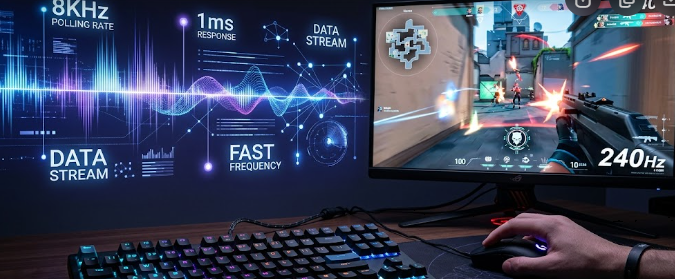
Competitive gamers always search for the fastest hardware to gain an advantage in esports. Recently, gaming brands started releasing 8000Hz polling rate peripherals, promising near-zero input latency. While these advanced mice and keyboards sound amazing on paper, they demand a massive amount of power from your computer. Consequently, you must understand the hidden hardware costs before upgrading your setup.
The Math Behind 8000Hz Polling Rate Peripherals
To understand this technology, we need to look at raw timing math. A standard gaming mouse usually operates at a 1000Hz polling rate. This means the mouse reports its position to your PC 1,000 times every second, which translates to once every 1 millisecond (ms).
In contrast, 8000Hz polling rate peripherals report data 8,000 times per second. Therefore, this rapid reporting slashes the update interval down to a microscopic 0.125ms.
1000Hz Polling Rate = 1 report every 1.0ms
8000Hz Polling Rate = 1 report every 0.125ms
This rapid reporting creates an incredibly dense stream of positional data. As a result, your cursor movements feel significantly smoother and more responsive on your screen. However, you will only notice this microscopic difference under very specific hardware conditions.
Why Monitor Refresh Rates Create a Visual Bottleneck
Many gamers buy 8000Hz polling rate peripherals expecting an instant visual upgrade. Unfortunately, your monitor can create a massive visual bottleneck that negates the benefits.
If you use a standard 60Hz monitor, your screen only updates 60 times a second, or once every 16.67ms. Even a standard 144Hz gaming monitor only updates every 6.94ms. Therefore, these slower monitors physically cannot display the extra positional updates that an 8K mouse sends every 0.125ms.
Spec-Matching Guide for High Refresh Displays
To actually see the benefits of this technology, you need an ultra-high refresh rate display. Specifically, displays pushing 360Hz, 480Hz, or higher are physically necessary to render the smoother tracking data.
| Monitor Refresh Rate | Time Between Screen Frames | 8K Polling Updates Per Frame |
| 60Hz | 16.67 ms | ~133 updates |
| 144Hz | 6.94 ms | ~55 updates |
| 240Hz | 4.17 ms | ~33 updates |
| 360Hz | 2.78 ms | ~22 updates |
For example, a 360Hz monitor updates its frame every 2.77ms. While it still cannot show every single one of the 8,000 updates, it matches the dense data stream much better than slower screens. Thus, upgrading your mouse without a high-end monitor completely wastes the hardware’s potential.
Internal MCU Constraints of 8000Hz Polling Rate Peripherals
Transmitting thousands of data packets every second requires serious processing power inside the device itself. Standard gaming mice use basic, low-power microcontrollers to handle data tracking.
Conversely, 8000Hz polling rate peripherals require dedicated, high-performance microcontrollers (MCUs). This advanced internal hardware must compress and process the intense data stream before sending it through the USB cable. As a result, these advanced devices often cost significantly more and consume far more battery power if they use a wireless connection.
CPU Overhead Penalties and Game Performance
The real hidden cost of 8000Hz polling rate peripherals falls directly on your computer’s processor. Your CPU must process all 8,000 incoming data packets every single second.
This heavy workload demands continuous, intense CPU cycles from the host PC. If you play demanding first-person shooters, your processor is already working incredibly hard to render the game frames. Consequently, the added tracking data can easily overload older or mid-range processors.
How System Overload Affects In-Game Framerates
When your processor struggles with the sudden flood of mouse data, you will experience performance issues. Many players notice sudden, jarring drops in their in-game framerates (FPS) whenever they move their mouse quickly.
Furthermore, this heavy CPU overhead can cause micro-stuttering, which completely ruins your aiming consistency. Therefore, a hardware upgrade meant to give you a competitive advantage might actually hurt your gameplay if your CPU cannot handle the stress.
Final Recommendations for Competitive Gamers
In conclusion, 8000Hz polling rate peripherals offer groundbreaking latency reduction on paper. However, you must ensure your entire system is ready for the upgrade before purchasing them.
You absolutely need a top-tier modern CPU and a monitor that pushes at least 360Hz to truly enjoy the smoother tracking. If you use older or mid-range hardware, sticking to a stable 1000Hz or 2000Hz rate will provide a much better, stutter-free gaming experience. For a deeper look at how input latency and peripheral refresh rates affect competitive gaming performance, you can read the comprehensive analysis on Blur Busters.
References
- Razer Inc. (2023). “Razer HyperPolling Technology: True 8000Hz Polling Rate Whitepaper.”
- Blur Busters. (2021). “The Amazing Benefits of High Polling Rates (1000Hz vs 8000Hz).”
- RTINGS Hardware Reviews. (2024). “Mouse Polling Rate: Does It Matter For Gaming?”