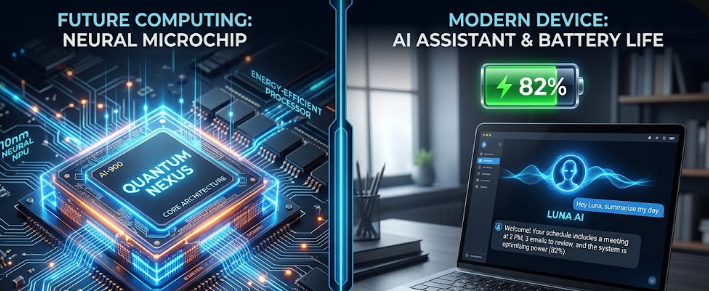
Are you planning to buy a new computer soon? You must understand the new TOPS benchmark for laptops before making a choice. In the past, buyers only checked the CPU (Central Processing Unit) and GPU (Graphics Processing Unit). Today, a new component called the NPU (Neural Processing Unit) changes everything. Tech companies now release laptops equipped with powerful AI capabilities. Consequently, you need to know how these machines handle artificial intelligence tasks locally. We will decode NPU specs in simple terms and explain why TOPS matters for your next purchase.
What is an NPU and Why Does it Matter?
To grasp the TOPS benchmark for laptops, you first need to understand the NPU. An NPU, or Neural Processing Unit, acts as a dedicated brain for artificial intelligence. Previously, computers forced the CPU or GPU to handle AI workloads. This approach drained the battery and slowed down other programs. Now, the NPU steps in to process AI tasks specifically. For example, when you blur your background during a video call or generate an image using AI, the NPU takes over. Therefore, it offloads heavy work from the main processors. This smart delegation keeps your laptop running smoothly and efficiently. Ultimately, the NPU ensures your machine can handle modern smart features without breaking a sweat.
Understanding the TOPS Benchmark for Laptops
You will often see the word “TOPS” when shopping for modern PCs. TOPS stands for “Tera Operations Per Second.” It simply measures how many trillions of operations the NPU can perform in one second. Thus, a higher TOPS number means the laptop processes AI tasks faster. Why is the 40+ threshold so important today? Microsoft recently introduced the “Copilot+ PC” standard for Windows 11. To run advanced Copilot+ features entirely on your device, Microsoft requires an NPU with at least 40 TOPS. If a computer falls below this mark, it cannot handle premium on-device AI tools. Consequently, the TOPS benchmark for laptops directly determines if your new device is truly future-proof.
How NPU Specs Improve Battery Life
Many buyers wonder if powerful AI chips drain the battery faster. Surprisingly, the exact opposite happens. When a computer utilizes a dedicated NPU, it drastically improves power efficiency. Because the NPU processes AI workloads much faster and uses less energy than a CPU, your computer saves significant power. For instance, translating languages in real-time or maintaining eye contact on a video call requires constant processing. When the NPU handles these chores, the CPU sleeps more often. As a result, you gain extra continuous hours of use on a single charge. Therefore, focusing on the TOPS benchmark for laptops also guides you toward better all-day battery life.
Comparing the TOPS Benchmark for Laptops Across Brands
Let us compare the latest processors to see how they stack up. Qualcomm launched the Snapdragon X Elite, which boasts an impressive 45 TOPS. This chip easily meets the Copilot+ requirement and offers exceptional battery efficiency. Meanwhile, Intel answered with the Core Ultra Series 2 (Lunar Lake) processors, delivering up to 48 NPU TOPS. Furthermore, AMD pushed the envelope with the Ryzen AI 300 series, hitting a massive 50 TOPS. On the other hand, Apple recently introduced the M4 chip. The Apple M4 NPU reaches 38 TOPS. Although Apple’s number sits slightly below the Windows Copilot+ threshold, macOS handles memory and AI differently, still offering stellar performance.
Make an Informed Decision
Understanding these new specifications ensures you spend your money wisely. Whether you choose Apple, Intel, AMD, or Qualcomm, you must factor in the TOPS benchmark for laptops during your research. A high-performing NPU guarantees that your machine will smoothly run the next generation of smart applications. Moreover, it protects your battery life during heavy daily use. Always check the NPU rating before you checkout. For further reading on processor architectures and in-depth tech hardware reviews, please visit Tom’s Hardware to explore more detailed hardware comparisons.
References
- Qualcomm. (2024). Snapdragon X Elite Platform Specifications.
- Intel Corporation. (2024). Intel Core Ultra Processors (Lunar Lake) Architecture Brief.
- AMD. (2024). AMD Ryzen AI 300 Series Processors.
- Apple Inc. (2024). Apple Introduces M4 Pro and M4 Max Chips.