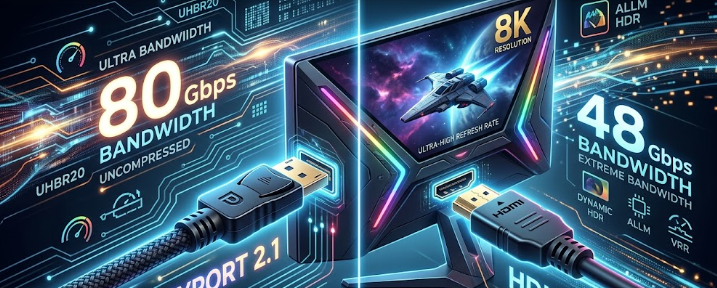
Building a high-end PC or upgrading your console setup requires the best visual fidelity. Consequently, professionals and gamers alike seek high-refresh-rate 4K or 8K displays. However, connecting these powerful displays requires the right cable technology. This brings us to a crucial comparison: DisplayPort 2.1 vs HDMI 2.1a. Choosing the correct port ensures you get every frame and pixel you pay for. Therefore, we will decipher these high-end monitor specs so you can make an informed decision.
Raw Bandwidth Specs: DisplayPort 2.1 vs HDMI 2.1a
Bandwidth determines how much data a cable can transmit per second. Think of it like a water pipe; a wider pipe allows more water to flow. Firstly, DisplayPort 2.1 introduces the UHBR20 (Ultra High Bit Rate) standard, which pushes an impressive 80 Gbps of raw bandwidth. Conversely, HDMI 2.1a has a maximum bandwidth ceiling of 48 Gbps. This massive difference gives DisplayPort a clear advantage for uncompressed data transfer.
For instance, if you want to run an 8K monitor at a high refresh rate, the 80 Gbps bandwidth handles the massive data load effortlessly. Furthermore, this wide data pipeline prevents input lag. Therefore, competitive gamers experience instantaneous screen responses. Meanwhile, HDMI 2.1a remains highly capable and handles standard 4K gaming beautifully. Yet, it quickly hits its limit when you push beyond normal 4K refresh rates without relying on compression techniques.
How Display Stream Compression (DSC) Changes the Game
Since raw bandwidth cannot always handle extreme resolutions, engineers created Display Stream Compression (DSC). Specifically, DSC is a visually lossless compression specification. This means it shrinks the video data to fit through the cable, but human eyes cannot detect any drop in visual quality. Consequently, DSC allows a single cable to run demanding setups, such as dual 4K monitors at 144Hz, without any color degradation.
When comparing DisplayPort 2.1 vs HDMI 2.1a, you will find that both standards utilize DSC effectively. However, HDMI 2.1a relies on DSC much sooner because of its lower 48 Gbps ceiling. In contrast, DisplayPort 2.1 rarely needs DSC unless you push extreme multi-monitor 8K setups. Ultimately, using uncompressed data is always preferable because compression can occasionally cause slight screen-blanking delays when you alt-tab out of full-screen games.
Source vs. Display Matching for DisplayPort 2.1 vs HDMI 2.1a
Having a premium cable means nothing if your devices do not match perfectly. Therefore, you must carefully check both your GPU output specs and your monitor input specs. Notably, not all DisplayPort 2.1 connections are equal. The standard features three distinct tiers: UHBR10 (40 Gbps), UHBR13.5 (54 Gbps), and UHBR20 (80 Gbps). If you buy a monitor labeled “DP 2.1” but it only supports the 40 Gbps tier, you actually get less bandwidth than HDMI 2.1a!
To avoid this labeling trap, you must explicitly match your graphics card and monitor to the exact UHBR20 tier. Moreover, you must buy a certified DP80 cable to achieve that maximum 80 Gbps bandwidth. Similarly, HDMI 2.1a users must ensure they purchase ultra-high-speed certified cables. In summary, always read the fine print on both your source device and your display before making a purchase.
Final Thoughts and Next Steps
In conclusion, PC builders and creative professionals must pay close attention to display standards. The debate between DisplayPort 2.1 vs HDMI 2.1a ultimately boils down to your specific needs. DisplayPort offers unmatched raw power for uncompressed visuals, while HDMI remains incredibly versatile for broad compatibility. If you want to dive deeper into building the perfect multi-monitor workstation and managing bandwidth limits, please check out Tom’s Hardware guide on display cables for further reading on the topic.
References
- VESA DisplayPort 2.1 Specification Release Notes.
- HDMI Forum Official HDMI 2.1a Bandwidth Guidelines.
- KTC Product Comparisons: DisplayPort 2.1 UHBR20 vs. HDMI 2.1a Interface.