Summary of Key Points
- Upgrading to a Solid State Drive (SSD) provides the single most effective performance boost for aging laptops.
- Budget SATA 2.5-inch SSDs work perfectly in older laptops lacking modern NVMe slots.
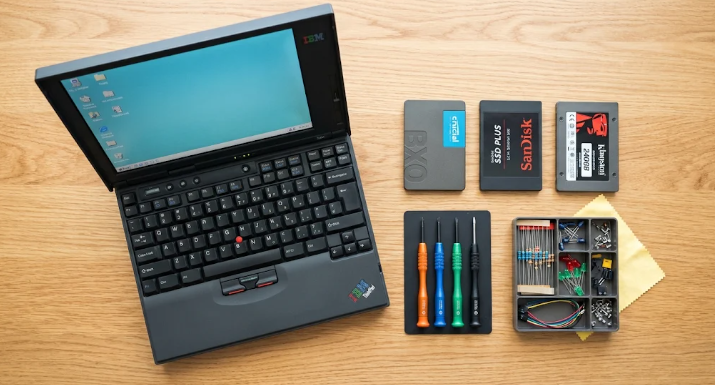
- Top budget options from Crucial, Kingston, Silicon Power, and Western Digital deliver great speed for low costs.
- Swapping out an old hard drive requires minimal technical experience and basic tools.
Introduction
If your trusted computer feels sluggish, finding the best budget SSD upgrades for speeding up old laptops can completely transform your daily computing experience. Traditional mechanical hard drives slow down significantly over time, causing frustrating boot times and lagging applications. Fortunately, replacing an old spinning hard drive with a solid-state drive is an easy and affordable DIY project.
Why Your Old Laptop Needs a Solid State Drive
Old laptops usually rely on traditional hard disk drives (HDDs) with moving magnetic platters. Over several years, these mechanical parts wear down and severely limit your system speed. Conversely, solid-state drives use fast flash memory chips to read and write data instantly.
Consequently, installing an SSD reduces system boot times from several minutes to mere seconds. Furthermore, applications launch immediately, and file transfers happen up to five times faster. Even a ten-year-old laptop will feel remarkably modern after a quick storage swap.
Key Features to Consider Before Buying
Before buying a new drive, you must verify your laptop hardware specifications. Most older laptops require a standard 2.5-inch SATA drive, whereas slightly newer models might accept M.2 SATA or NVMe drives.
Additionally, check whether you need a DRAM cache. Drives with DRAM caches handle heavy multitasking better, but DRAM-less drives cost less and still provide massive speed improvements over mechanical hard drives.
Top Best Budget SSD Upgrades for Speeding Up Old Laptops
You do not need to spend hundreds of dollars to revive your old computer. Below are four reliable options that deliver maximum performance for minimal cost.
1. Crucial BX500 2.5-inch SATA SSD
The Crucial BX500 remains one of the best budget SSD upgrades for speeding up old laptops. It offers fast read speeds up to 540 MB/s and fits standard 2.5-inch laptop drive bays easily. Moreover, Crucial provides user-friendly cloning software to help you copy your existing files smoothly.
2. Kingston A400 SATA SSD
Kingston designed the A400 series specifically for budget-conscious users wanting dependable daily speed. This drive delivers impressive reliability and fast boot times at a very low price point. Furthermore, its shock-resistant casing protects your data if you accidentally drop your laptop.
3. Silicon Power A55
The Silicon Power A55 provides exceptional overall value and strong write endurance. It features SLC cache technology to boost peak write speeds during heavy file transfers. Consequently, budget shoppers love this drive for daily office tasks and basic web browsing.
4. Western Digital WD Green SSD
Western Digital optimized the WD Green for ultra-low power consumption. Therefore, this drive not only speeds up your overall system performance but also helps extend your laptop battery life. It serves as an excellent drop-in replacement for aging mechanical drives.
How to Upgrade Your Laptop SSD
Replacing your internal hard drive takes less than thirty minutes. First, back up your vital files or clone your existing hard drive using free cloning software. Second, turn off your laptop, remove the battery if possible, and unscrew the bottom access panel.
Third, remove the old mechanical drive from its bay and insert your new SSD carefully. Finally, screw the laptop casing back together and reinstall your operating system or restore your cloned backup. For detailed system compatibility checks and hardware benchmarks, visit Tom’s Hardware SSD Review Guide for expert technical advice.
References
Crucial Storage Team. (2024). Laptop Upgrades and SSD Installation Guide. Crucial Technology.
Tom’s Hardware Staff. (2024). Best Budget SSDs: Top Value Drives Tested. Tom’s Hardware.