Summary of Key Points
- Most modern laptops have soldered CPUs and GPUs, making manual hardware upgrades impossible.
- Older laptops and specific modular models sometimes support processor or graphics card replacements.
- Thermal limits and motherboard compatibility restrict hardware upgrade options even on supported devices.
- Upgrading RAM and SSD storage provides an easier, cost-effective way to boost laptop performance.
- External GPUs (eGPUs) offer a practical solution for upgrading graphics capabilities on compatible laptops.
Can You Upgrade Laptop CPU and Graphics Card Explained
Many tech enthusiasts ask: can you upgrade laptop CPU and graphics card explained in simple terms? The short answer for most modern laptops is no. Computer manufacturers design thin, light laptops by soldering the central processing unit (CPU) and graphics processing unit (GPU) directly onto the motherboard. However, specific laptop models and external hardware workarounds provide exceptions to this rule.
Why Laptop CPUs Are Soldered to the Motherboard
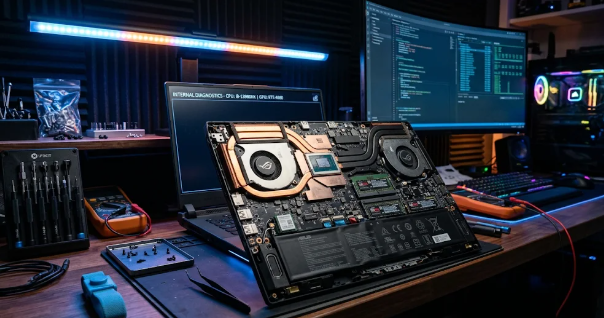
In the past, laptop manufacturers used socketed processors similar to desktop PCs. Users could swap out older processors for faster models easily. Today, companies rely on Ball Grid Array (BGA) packaging. In BGA designs, factory machines solder the CPU directly to the system board.
Furthermore, manufacturers adopt BGA packaging to build thinner laptops with better heat distribution. Replacing a soldered CPU requires specialized infrared desoldering equipment, which costs thousands of dollars and risks permanently destroying the motherboard. Consequently, upgrading a modern laptop CPU at home remains practically impossible for average users.
Understanding Laptop Graphics Card Limitations
Similarly, discrete laptop graphics cards usually attach directly to the main circuit board. Manufacturers solder the GPU chip alongside dedicated video memory (VRAM) chips to save internal space. For this reason, you cannot simply buy a standard desktop graphics card and insert it into your portable computer.
Historically, high-end gaming laptops utilized Mobile PCI Express Module (MXM) slots. These MXM slots allowed users to swap out compatible graphics cards. However, manufacturers have largely abandoned MXM slots due to high production costs, thermal constraints, and spatial limitations. Therefore, almost all modern gaming notebooks feature non-upgradeable GPUs.
Exceptions: Modular Laptops and External Upgrades
Although standard laptops restrict component swaps, hardware innovation provides a few alternatives. For instance, modular laptop builders like Framework construct devices with replaceable motherboard parts. These modular designs allow users to upgrade motherboard and processor units together when newer generations launch.
Additionally, you can boost your graphical performance by connecting an External GPU (eGPU) enclosure. An eGPU housing holds a full-sized desktop graphics card and connects to your laptop via a high-speed Thunderbolt port. Consequently, an eGPU delivers massive graphics performance upgrades without opening your laptop chassis.
Easier Upgrades for Better Laptop Speed
If you want to improve your computer speed, focus on components that manufacturers still allow you to change. Upgrading your system memory (RAM) allows your laptop to run more applications simultaneously without slowing down. Likewise, replacing a slow mechanical drive with a modern Solid State Drive (SSD) dramatically reduces boot times and file loading speeds.
Before attempting any internal changes, open your device manager or system manual to check component compatibility. You can read detailed hardware buying guides on Tom’s Hardware to learn more about system specifications and compatibility rules.
References
1. Intel Corporation. (2023). Understanding Laptop Processors and BGA Socket Architecture.
2. Framework Computer Inc. (2023). Modular Laptop Design and Upgradeability Standards.
3. USB Implementers Forum. (2022). Thunderbolt Technology and External Graphics Performance.