Gaming Laptop Upgradeability: Can You Upgrade RAM and Storage Later?
Many computer buyers wonder whether they can enhance their systems after purchase. Evaluating gaming laptop upgradeability helps you plan for long-term device ownership and future-proofing. Technology changes rapidly, and software demands increase every year. Therefore, understanding whether you can swap components later saves you money and extends your hardware’s lifespan.
Modular vs. Soldered Design in Gaming Laptop Upgradeability
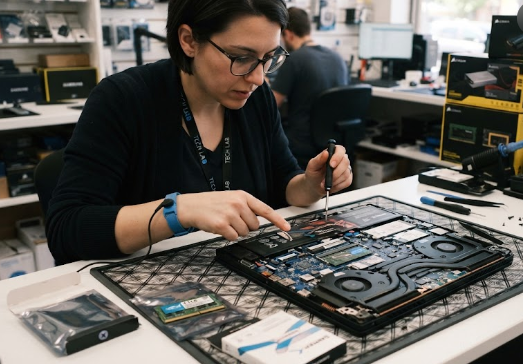
When examining gaming laptop upgradeability, you must first understand internal layouts. Traditional gaming laptops often feature removable bottom panels and socketed parts for easy upgrades. Conversely, modern thin-and-light models frequently solder components directly to the motherboard.
Consequently, soldered memory cannot be removed or replaced later. Always verify internal build types before buying a slim chassis if you plan to modify your system in the future.
Storage Expansion and NVMe Slots
Fortunately, many customizable rigs still prioritize storage flexibility. Manufacturers often include a second NVMe SSD slot in upgradeable models. Therefore, you can easily insert an extra drive when your game library grows.
Adding storage requires only a screwdriver and a few minutes of your time. This simple upgrade prevents you from deleting important files or reinstalling massive operating systems as your storage needs expand.
The “Buy It Right” Rule for Hardware Purchases
Because component restrictions vary widely, you should always follow the golden rule of hardware purchasing. Before making any financial commitment, check user manuals, teardown guides, or professional reviews regarding gaming laptop upgradeability.
Manufacturers often publish detailed service guides online. Checking these resources ensures you never buy a locked-down machine expecting easy modifications later.
Planning for future maintenance guarantees your machine stays relevant for years. By prioritizing modular designs, you protect your investment against growing software requirements. Ultimately, checking component flexibility before purchase brings complete peace of mind. For more hardware maintenance tips and comprehensive guides, you can visit Tom’s Hardware.
References
- iFixit. (2025). Laptop Repairability and Modular Design Standards.
- LaptopMag. (2026). Upgrading RAM and NVMe SSDs in Modern Portable Rigs.