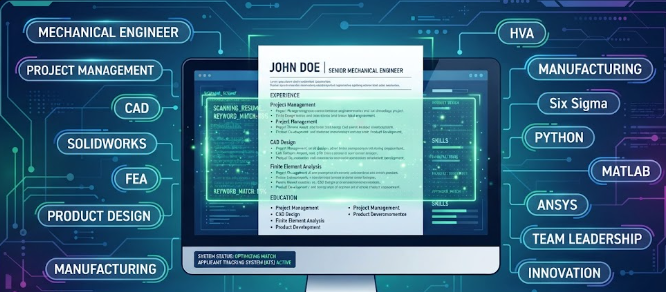
Many job seekers wonder, how do I write an effective resume that passes ATS scanners? When you apply for modern engineering, tech, or corporate jobs, your resume rarely reaches human eyes first. Instead, companies use Applicant Tracking Systems (ATS) to scan, read, and rank incoming applications automatically.
If your document uses complex graphics or missing keywords, software filters will reject it instantly. Understanding how these robotic hiring systems work helps you format your CV correctly. This guide breaks down simple steps, formatting rules, and keyword strategies to help your resume land interviews.
What is an Applicant Tracking System and Why Does It Matter?
An Applicant Tracking System acts as digital gatekeeper for modern human resources teams. Companies receive hundreds of applications for a single job opening. Consequently, recruiters rely on software to sort qualified candidates from unqualified applicants quickly.
The software reads your uploaded PDF or Word file, extracts your work history, and scores your profile against the job description. If your application lacks relevant terms, the computer algorithm discards it. Therefore, optimizing your layout and vocabulary is crucial for your job search success.
Why Formatting Dos and Don’ts Matter for ATS Scanners
Complex graphic designs look pretty to humans, but software scanners hate them. You must avoid multi-column layouts, text boxes, tables, and embedded header graphics. ATS software reads text strictly from left to right like a simple book page.
- Do use standard fonts: Stick to clean typography like Arial, Calibri, or Helvetica.
- Do save as PDF or DOCX: Check job application guidelines to see preferred file types.
- Don’t use tables: Keep your work history in straight, simple text blocks.
- Don’t add header images: Place your contact details directly in the main text area.
How to Optimize Keywords on Your Resume
Keywords form the core bridge between your job application and hiring software. Recruiters program ATS filters to search for exact hard skills, software names, and industry terminology mentioned in the job post.
If a construction firm requests Revit, AutoCAD, and structural analysis, your resume must include those exact words. You should review the target job description carefully before submitting your application. Naturally weave those exact terms into your professional summary, core skills section, and past job descriptions.
Before and After Bullet Point Examples
Weak bullet points focus only on duties rather than actual results. Strong resume bullet points highlight measurable achievements using active verbs and clear numbers.
- Weak Example: Worked on structural designs and checked drawings.
- Strong Example: Designed 15 reinforced concrete buildings using Eurocode standards, reducing material waste by 12 percent.
- Weak Example: Helped manage construction site activities.
- Strong Example: Supervised a team of 20 site workers to complete a residential drainage project two weeks ahead of schedule.
How to Structure Your Resume Sections Correctly
A clear document structure helps both software algorithms and human hiring managers review your background fast. Divide your resume into distinct, clearly labeled sections.
Start with a professional contact header, followed by a brief summary statement. Next, list your core technical skills clearly so software bots spot them immediately. Follow those sections with your work experience in reverse chronological order, and finish with your university education and certifications.
Final Review Before You Submit Your Application
Before hitting the submit button on any career portal, test your file thoroughly. You can copy and paste your entire resume text into a plain text editor to check for reading errors. If the text looks scrambled or unreadable, the software scanner will fail to parse it too.
Taking time to refine your layout guarantees that your application passes automated filters successfully. For more career development strategies and professional writing advice, visit Indeed Career Guide for further reading on the topic.
References
- Society for Human Resource Management. “Using Applicant Tracking Systems Effectively in Modern Recruiting.” SHRM Research (2025).
- National Association of Colleges and Employers. “Resume Standards and Recruitment Technology Trends.” NACE Guidelines (2025/2026).
- JobOpenings Global. “Optimizing Candidate Profiles for Automated Hiring Algorithms.” HR Technology Review (2026).