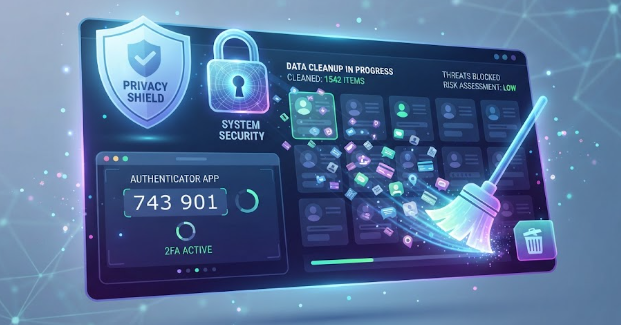
Every click, purchase, and social media sign-up leaves behind a trails of personal information across the web. You might frequently ask yourself: how do I delete my digital footprint and secure my online accounts? Data brokers collect your location details, shopping habits, and phone numbers to build public profiles. Meanwhile, cybercriminals actively use leaked credentials from old website breaches to hijack active profiles.
Taking back control of your personal privacy does not require advanced technical degrees. You can follow clear, actionable steps to remove exposed records and lock down your profile credentials. This systematic guide walks you through auditing your social profiles, opting out of broker lists, and deploying hardware-grade security features.
Audit and Delete Your Unused Social Media Profiles
You must start your cleanup process by listing every social media profile you ever created. Old platforms like Myspace, Tumblr, or forgotten forums still hold sensitive data and old passwords. Hackers search these abandoned profiles to guess your current security questions or launch credential-stuffing attacks.
Log into these old accounts and head directly to their account settings pages. Locate the account management menu and select the permanent deletion option. If you cannot remember your old login password, submit a password reset request using your primary email address. Make sure you request complete account removal rather than simple profile deactivation.
DIGITAL FOOTPRINT CLEANUP PROCESS
Audit Old Profiles ──► Opt-Out Data Brokers ──► Setup Password Manager
(Delete unused accounts) (Remove listed records) (Generate unique keys)
│
▼
Enable Hardware 2FA
(Secure master login)
Remove Personal Information From Online Data Brokers
Data brokers systematically gather public records, real estate filings, and app tracking data. Companies like Whitepages, Spokeo, and BeenVerified publish your home address, phone numbers, and relative lists online.
You can manually visit the opt-out pages of these major people-search sites to request removal. Most brokers require you to find your profile link and fill out a short removal form. Because manually contacting hundreds of brokers takes extensive time, automated services like Incogni, Optery, or DeleteMe can send opt-out requests continuously on your behalf.
| Data Broker Type | Examples | What Information They Expose | Removal Action |
| People-Search Sites | Whitepages, Spokeo, Intelius | Phone numbers, addresses, relatives | Submit manual opt-out or use automated tools |
| Marketing Aggregators | Acxiom, Oracle/Datalogix | Purchase history, habits, brand preferences | Send opt-out requests via privacy policies |
| Financial Records | MyLife, Radaris | Credit estimates, court records, background checks | Submit explicit legal data deletion requests |
Deploy a Password Manager to Generate Unique Credentials
Reusing passwords across multiple websites creates massive security vulnerabilities. If a small forum experiences a data breach, hackers immediately test those same credentials on banking and email accounts.
A dedicated password manager solves this issue by creating complex, randomized passwords for every platform you use. Applications like Bitwarden, 1Password, or Proton Pass store your credentials inside an encrypted digital vault. You only need to remember one strong master passphrase to unlock all your online credentials securely.
PASSWORD SECURITY COMPARISON
REUSED PASSWORD APPROACH UNIQUE VAULT APPROACH
Website A Breached (Password: 123) Website A Breached (Password: x9#K!2)
│ │
▼ ▼
Hackers Access Bank & Email ! Hackers Blocked Everywhere Else !
Enable Two-Factor Authentication Across Essential Accounts
Two-factor authentication (2FA) adds a crucial defense layer beyond your password. Even if an attacker uncovers your password, they cannot gain access without your second verification code.
You should avoid text message (SMS) 2FA whenever possible because cybercriminals can intercept SMS codes through SIM-swapping attacks. Instead, configure authenticator apps like Google Authenticator or 2FAS. For maximum protection on critical banking and email accounts, use physical hardware security keys like a YubiKey.
How Do I Delete My Digital Footprint and Secure My Online Accounts Long-Term?
Maintaining digital privacy requires regular maintenance rather than a single quick fix. Set a quarterly calendar reminder to check if your personal email address appears in new security breaches using free breach-monitoring services.
Additionally, remove unused smartphone applications that constantly record your background location data. Revoke unnecessary third-party permissions from your main email and social media settings pages. For deeper technical strategies on endpoint security and data privacy best practices, read further on EFF (Electronic Frontier Foundation).
References
- Federal Trade Commission. “Protecting Your Personal Information and Online Privacy.” FTC Consumer Advice (2025).
- Cybersecurity and Infrastructure Security Agency. “Securing Web Applications and Online Accounts.” CISA Security Guidance (2025/2026).
- National Institute of Standards and Technology. “Digital Identity Guidelines: Authentication and Lifecycle Management.” NIST Special Publication 800-63B (2026).