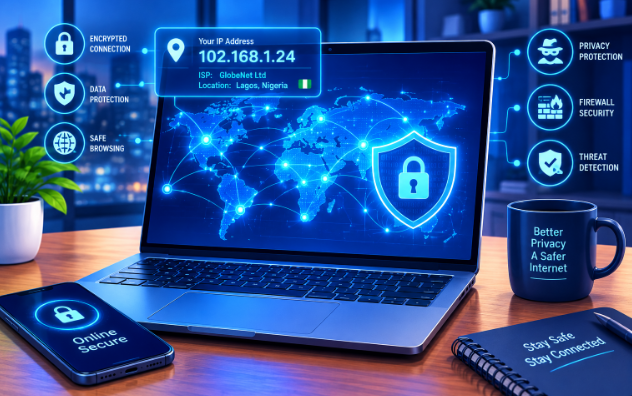
Every time you connect to the internet, your device receives a special digital identifier. Many people ask, what is your IP address and why does it matter for your daily browsing security? In simple terms, an Internet Protocol (IP) address works just like your home address. It allows websites, apps, and servers to send information back to your specific phone or computer. Without this unique identifier, the web could not deliver the pages you want to view. However, revealing this address everywhere you go creates real digital privacy risks.
Understanding Public and Local IP Addresses
To understand how network security works, you must first learn how your home network assigns addresses. Your Internet Service Provider (ISP) gives your home router a single public IP address. Every device in your home shares this public address when accessing the web.
On the other hand, your router gives each device a unique local address. Your phone, smart TV, and laptop each get their own local code. Therefore, local addresses handle internal home traffic, while your public address identifies your network to the outside world.
What Data Does Your IP Address Reveal?
Your public address carries more personal details than you might expect. When you visit a website, the server automatically reads your connection details to serve you content.
First, it reveals your general geographic location. While it rarely shows your exact street, it easily shows your country, city, and postal code. Second, it identifies your exact Internet Service Provider. Consequently, ad networks use this data to build a detailed digital profile of your daily habits.
Privacy and Security Risks You Face
Exposing your public connection details creates several security problems. Data brokers constantly track your online moves to build advertising profiles. Moreover, ISPs can monitor your connection speed and slow down your line when you stream videos.
- Targeted Ad Tracking: Advertisers log your activity across multiple websites to show tailored ads.
- ISP Throttling: Network providers can restrict your bandwidth based on your online activities.
- Cyberattacks: Hackers can use a visible address to launch direct network attacks against your router.
For instance, online gamers often suffer from Denial of Service (DDoS) attacks when a rival finds their public address.
How to Protect Your IP Address and Stay Safe
Fortunately, you can easily mask your connection and keep your internet activity private. The most effective tool you can use is a Virtual Private Network (VPN). A VPN routes your internet traffic through a secure, encrypted tunnel, hiding your real location behind a proxy server.
Additionally, you can switch to an encrypted DNS provider to prevent third parties from reading your web requests. Finally, always update your home router password regularly to stop unauthorized access to your private network.
If you want to test your connection details right now, you can check your current network status at IPLocation.net for further reading on network tools.
References
- Tanenbaum, A. S., & Wetherall, D. J. (2011). Computer Networks (5th ed.). Pearson.
- Kurose, J. F., & Ross, K. W. (2021). Computer Networking: A Top-Down Approach (8th ed.). Pearson.
- Federal Trade Commission (FTC). (2020). Understanding Mobile Apps and Device Privacy. FTC Consumer Information.