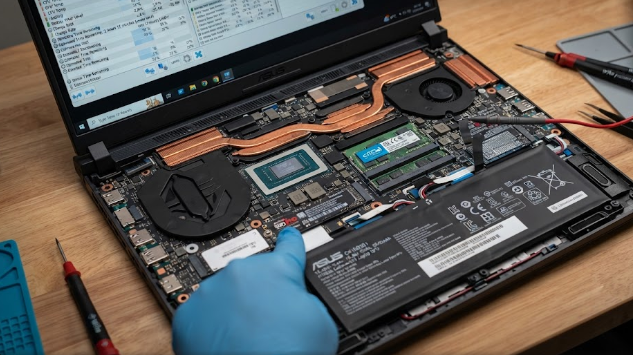
Many users feel surprised when their expensive machines lose power within minutes. Managing gaming laptop battery life often feels like a constant battle against physics. Unlike slim office laptops built strictly for energy efficiency, gaming rigs pack massive amounts of hardware into tight spaces. Consequently, understanding how these components draw power helps you manage your expectations and protect your portable device.
The High-Wattage Hardware Driving Gaming Laptop Battery Life
At the heart of the issue lies raw performance. Manufacturers cram high-voltage components into compact chassis. For instance, a dedicated graphics card demands immense electrical current to render complex 3D worlds smoothly.
Furthermore, heavy-duty cooling fans spin at high speeds to prevent overheating, which consumes additional energy. Add a bright, high-refresh-rate screen into the mix, and you get a massive power drain. Therefore, keeping these high-performance parts running requires far more energy than a standard battery can comfortably supply for long periods.
The Unplugged Trap: Why Gaming Laptop Battery Life Drops Suddenly
Many beginners attempt to play intensive video games while unplugged from a wall socket. Unfortunately, this scenario creates a severe bottleneck. Gaming on battery power drastically drains the cell in under an hour because the system cannot pull enough current from chemical storage alone.
To prevent sudden shutdowns and component damage, the computer automatically triggers heavy performance throttling. As a result, frame rates plummet, and your game stutters badly. Playing demanding games without a charger completely defeats the primary purpose of having a high-end mobile rig.
Practical Optimization Tips to Extend Gaming Laptop Battery Life
Fortunately, you can take active steps to preserve power when you are away from an outlet. First, switch your system from dedicated graphics to integrated graphics for light web browsing or document editing. Integrated chips consume a fraction of the power.
Additionally, lower your screen brightness and reduce the display refresh rate from high settings down to 60Hz. Finally, close background apps like Discord or gaming launchers that secretly keep your hardware awake. These simple adjustments dramatically improve your mobile runtime.
Mastering your device settings ensures you get the best of both worlds: extreme performance at your desk and reliable portability on the go. By understanding your hardware demands, you can easily avoid unexpected shutdowns during important tasks. For more in-depth hardware guides and battery optimization strategies, you can explore detailed reports on Tom’s Hardware.
References
- XMG Help Center. (2025). Short Battery Life in Gaming Laptops: Troubleshooting Guide.
- EveZone. (2026). Battery Life Leaders Among Gaming Laptops and Power Management.