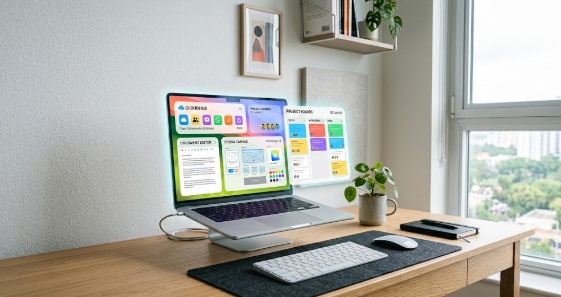
Modern teams no longer need expensive office software to work together efficiently online. Today, learning how to build a seamless digital workspace using free cloud tools allows small businesses, freelancers, and students to collaborate without spending money. Remote work relies heavily on flexible digital platforms that connect team members across different locations.
In this guide, you will explore powerful free platforms that handle design work, document editing, and project tracking. Furthermore, you will learn how to connect these applications into a smooth daily routine.
Why You Need a Digital Workspace Strategy
Managing a remote team without clear software tools quickly creates confusion and delays. Therefore, establishing a central digital environment helps everyone stay organized and productive.
Cloud Collaboration Workflow:
[Project Planning] ──> [Real-Time Document Editing] ──> [Visual Asset Design] ──> [Cloud Storage Archive]
When you organize your digital apps properly, your team spends less time searching for misplaced files. Consequently, everyone finishes assignments faster while maintaining high standards.
Centralizing Documents with Free Document Editors
Every productive virtual team needs a reliable platform for creating and editing written files. Google Docs provides a feature-rich document editor that works entirely inside your internet browser.
Because multiple users can edit a single document simultaneously, your team eliminates messy email attachments.
- Multiple team members can type and leave comments in real time.
- The system saves every change automatically to prevent data loss.
- Built-in version history allows you to restore earlier document drafts easily.
For example, a marketing team can draft a sales strategy together during a live video call. As one member types the outline, another person adds supporting research links.
Thus, your team completes document drafts in a fraction of the usual time.
Creating Visual Assets with Accessible Design Platforms
Visual communication plays a vital role in marketing, social media, and business presentations. Canva offers an intuitive design platform that allows non-designers to build professional graphics effortlessly.
| Feature Area | Free Canva Capability | Primary Team Benefit |
| Templates | Access thousands of free layouts | Speeds up graphic production |
| Brand Assets | Store core logos and color palettes | Maintains brand consistency |
| Team Sharing | Share editable design links | Simplifies feedback and approvals |
For instance, you can design an eye-catching event flyer using drag-and-drop tools. You then send a share link to your colleague, who reviews and approves the visual layout instantly.
Tracking Projects Using Visual Task Boards
Keeping track of project deadlines requires a clear visual organization system. Trello uses simple visual boards, lists, and cards to help teams manage daily responsibilities.
Visual Task Flow:
[To-Do Column] ──> [In-Progress Column] ──> [Completed Column]
By moving task cards across columns, team members update project statuses without typing long status emails.
Key Advantage: Visual project boards provide immediate visibility, so managers instantly identify project bottlenecks before deadlines pass.
Storing and Sharing Files Safely in the Cloud
Safe file storage forms the backbone of any remote work setup. Cloud storage services like Google Drive offer ample free storage space for your documents, spreadsheets, and visual assets.
Additionally, cloud storage platforms secure your files against computer hardware failures. You can access your files safely from any smartphone, tablet, or laptop with an internet connection.
Hence, your important business records remain safe and accessible around the clock.
Step-by-Step Guide on How to Build a Seamless Digital Workspace Using Free Cloud Tools
Building your digital system requires careful planning and simple execution steps. Follow these key actions to connect your applications smoothly:
- Create Shared Cloud Folders: Set up core directories in your cloud storage for every active project.
- Establish Document Templates: Save standard document layouts to save time on recurring reports.
- Connect Task Cards to Document Links: Attach your document and graphic links directly into your project tracking cards.
When you link your platforms together, your team accesses all necessary resources from a single central location.
Transforming Your Remote Operations Today
Adopting accessible online platforms allows your team to achieve enterprise-level productivity on a zero-dollar budget. As your organization grows, maintaining simple cloud systems ensures smooth operational scaling.
Start setting up your free applications today to build an agile, organized, and collaborative remote work culture. To explore more about top cloud collaboration platforms, read PCMag’s Best Cloud Storage Services Guide for deeper tech insights.
References
- Canva. (2026). Visual Collaboration and Graphic Design Solutions for Teams. Canva Knowledge Base.
- Google. (2026). Google Workspace Cloud Storage and Real-Time Editing Guide. Google Help Center.
- PCMag. (2026). The Best Free Cloud Applications and Productivity Software. PCMag Tech Reviews.
- Trello. (2026). Visual Project Management and Workflow Strategy. Trello Resource Hub.